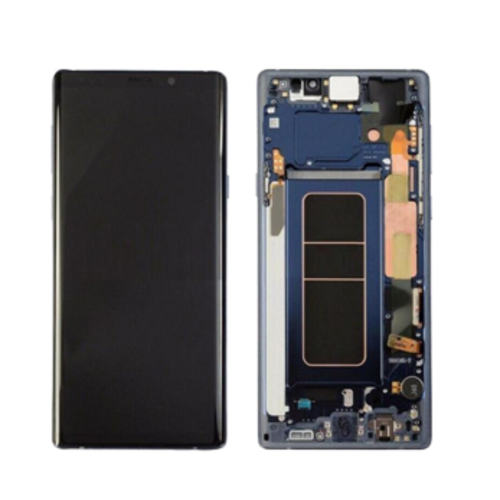

A repair shop owner once asked me directly: "Is a diagnostic screen the same as original?" That one question told me how much confusion exists around this term — and how much it costs buyers who get it wrong.
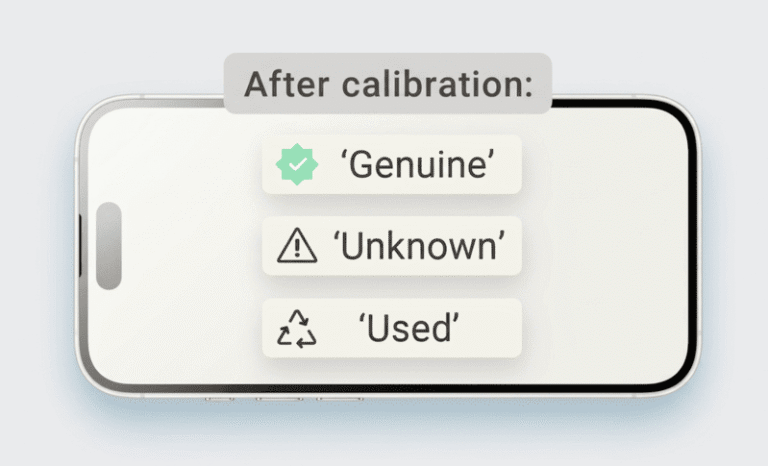
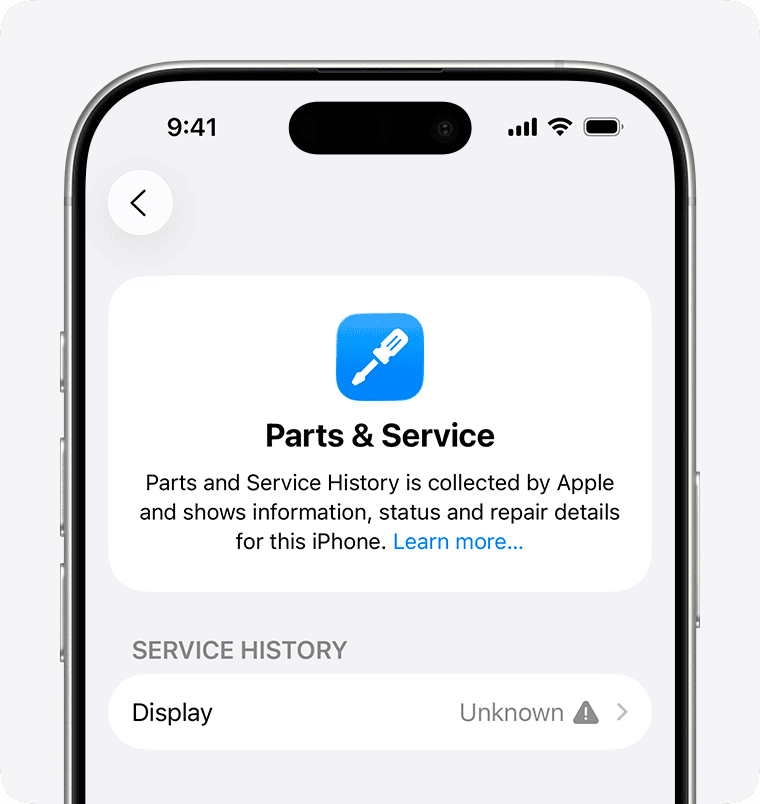
A diagnostic iPhone screen is a screen designed to pass Apple's parts verification check on iOS 14 and later1. It typically prevents the "non-genuine part" alert from appearing in Settings. It is not Apple-certified, not OEM-equivalent, and not the same as an original screen — it is a market term for a screen built to clear Apple's software check.
This distinction matters more than most buyers realize. If you are ordering screens in bulk and your supplier lists "diagnostic" without explaining what that means, you are making a purchasing decision without the full picture. Let me break this down clearly so you can decide whether you actually need it — and whether you are paying for it correctly.
Why Does the "Diagnostic" Label Exist in the Market?
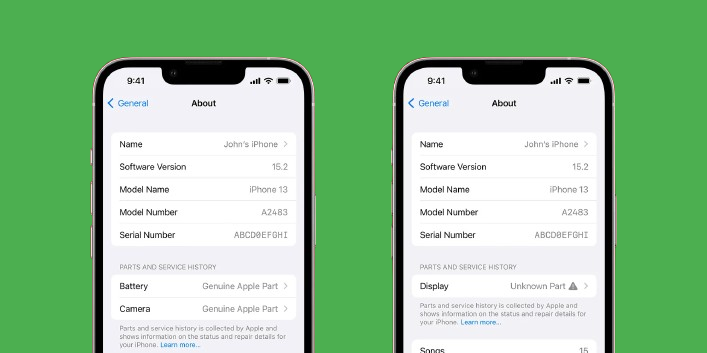
Starting with iOS 14, Apple introduced a parts verification system.2 When a repaired iPhone boots up, it checks whether the screen communicates with Apple's expected hardware identifiers. If it does not match, the phone shows a warning in Settings — something like "Unable to verify this iPhone has a genuine Apple display3."
For most end users, that warning is alarming. Even if the screen works perfectly, the alert creates doubt. Customers call back. They complain. Some ask for refunds. For repair shops serving quality-conscious clients, that warning is a business problem.
So suppliers began sourcing and labeling screens that are built or programmed to pass this check. The market started calling them "diagnostic screens." The term stuck — even though Apple has never used it, and there is no official industry standard that defines it.
When I talk to buyers about this, I frame it simply: a diagnostic screen is designed to avoid the iOS parts alert. That is what the label means in the supplier market. Nothing more, nothing less.
What Diagnostic Does Not Mean
This is where buyers often get misled. "Diagnostic" does not mean:
| Common Assumption | Reality |
|---|---|
| Apple-certified or Apple-approved | Not true. Apple does not certify third-party screens under this label4 |
| Same as OEM or factory original | Not the same. Original screens come from Apple's supply chain |
| Approved for use by Apple service centers | Apple service centers use Apple-sourced parts only |
| Permanently immune to iOS alerts | iOS updates can change verification behavior |
| Higher display quality than INCELL or OEM Refurbished | Not necessarily. Quality depends on the screen grade, not the diagnostic label |
Understanding this table before you place an order can save you from overpaying — or from the wrong type of complaint.
Who Actually Needs a Diagnostic Screen?
Not every repair business needs diagnostic screens. This is something I tell clients directly, because overselling the wrong product type creates problems later.
The real question is: who are your end customers, and what do they expect after a repair?
If your end customers are premium users, corporate device managers, or people who check their phone's parts history, a diagnostic screen reduces your risk of a callback. These clients notice the iOS alert. They care about it. Selling them a standard INCELL screen — even a high-grade one — may lead to a complaint even if the display itself performs well.
If your end customers are budget-conscious users repairing older iPhone models, a high-grade INCELL or OEM Refurbished screen is often sufficient. The iOS alert appears in Settings, not on the main screen. Many users never see it. And for older models, the verification system behaves differently or may not trigger in the same way5.
Mapping Your Customer Profile to the Right Screen Type
In the orders we handle at FIZON, the clients who consistently request diagnostic screens share a few common traits. I have mapped this out based on what we observe in real buyer patterns:
Client Profile vs. Recommended Screen Type
| Client Profile | Recommended Screen Type | Why |
|---|---|---|
| Premium repair chain, serving corporate or high-income clients | Diagnostic Screen | Clients notice and report iOS alerts; reputation risk is high |
| Repair shop serving mixed clientele, newer iPhone models | Diagnostic Screen or OEM Refurbished | Reduces risk across a broad customer base |
| Budget repair shop, older iPhone models (iPhone X and earlier) | High-grade INCELL or OEM Refurbished | Verification behavior is less aggressive on older models6; cost savings matter more |
| Local wholesaler reselling to other repair shops | Depends on downstream shop profile | Match the screen type to the end repair shops' customer base |
| Online reseller focused on price-competitive listings | INCELL (standard or high-grade) | End user expectation is lower; diagnostic premium rarely justified |
This is not a rigid rule. It is a starting framework. The point is: your screen choice should follow your customer's expectation, not just your supplier's product label.
One thing I always tell buyers: if your supplier is calling a screen "diagnostic" but cannot explain what verification system it passes, that is a red flag. Ask them directly. A supplier who knows their product can answer clearly.
Does a Diagnostic Screen Guarantee No iOS Warning?
This is the honest part that many suppliers skip over, and I think it matters.
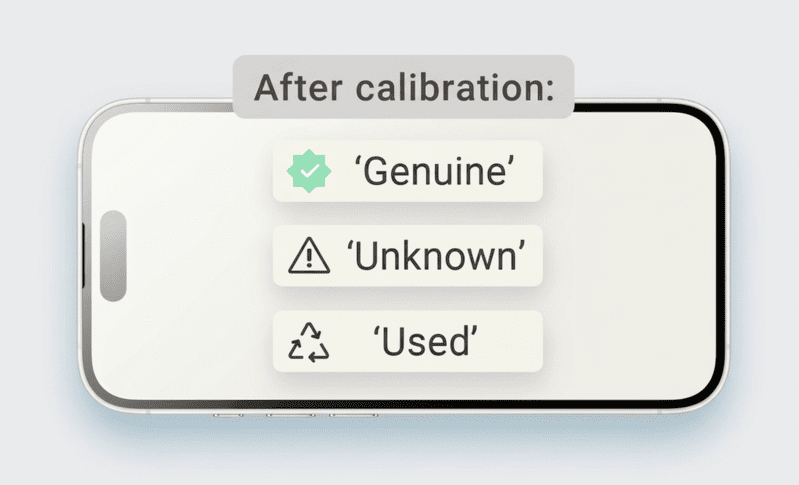
Diagnostic screens are designed to pass Apple's current verification checks. Based on what we observe in supplier testing and buyer feedback, they typically avoid the "non-genuine part" alert in iOS 14 and later. But this is not a permanent guarantee.
Apple updates iOS regularly. When Apple pushes a software update, it can change how the verification system behaves. A screen that passes the check today may behave differently after a major iOS update.7 This has happened before in the market8, and buyers who were not warned about it felt misled.
How to Manage This Risk in Your Business
The risk does not mean diagnostic screens are not worth buying. It means you should buy them with clear expectations — and communicate those expectations to your downstream customers.
Here is how repair shops and wholesalers who work with us manage this:
Practical Risk Management for Diagnostic Screen Buyers
| Risk | What It Means | How to Handle It |
|---|---|---|
| iOS update changes verification behavior | Screen may trigger alert after update | Track iOS updates; stay in contact with your supplier for batch updates |
| Supplier mislabels standard screen as diagnostic9 | End user gets iOS alert; you get a complaint | Buy from suppliers with documented QC and consistent batch testing |
| Customer expectation gap | Client expects "original" because you said "diagnostic" | Set clear expectations at point of sale; explain it passes the iOS check, not that it is original |
| Batch inconsistency | Some units in a shipment pass, others do not | Choose suppliers with per-batch QC documentation and low return rate history |
At FIZON, we track return rates per batch and keep QC records per shipment. When a client reports an issue, we can trace it back to the batch and identify whether it is a product issue or an installation issue. This is the supply-chain reliability argument — not a claim that we reverse-engineer Apple's verification system. We just know our product and stand behind it with documentation.
The buyers who get burned on diagnostic screens usually have one thing in common: they bought on price alone from a supplier who used the label without being able to back it up. The label without the QC process behind it is just marketing.10
Conclusion
A diagnostic iPhone screen is designed to pass Apple's iOS parts verification check — it is not Apple-certified, not always necessary, and not a permanent guarantee. Match your screen type to your customer's expectations, buy from suppliers who can document their QC, and you will reduce both returns and callbacks.
"How to put your iPhone in diagnostics mode - Apple Support", https://support.apple.com/en-us/101944. Sources in the electronics repair community explain that 'diagnostic' screens are aftermarket displays engineered to be compatible with Apple's part serialization checks, thereby preventing the 'non-genuine part' warning from appearing in the device's settings. Evidence role: definition; source type: other. Supports: The source should define what a 'diagnostic screen' is in the context of the third-party iPhone repair market and link it to bypassing Apple's software checks.. ↩
"About iPhone Parts and Service History - Apple Support", https://support.apple.com/en-us/102658. Technology news outlets and repair specialists reported that with the release of iOS 14, Apple began displaying a persistent notification in the Settings app if the system detected a non-genuine replacement display. Evidence role: historical_context; source type: other. Supports: The source should confirm that Apple implemented a parts verification system that generates warnings for non-genuine displays beginning with the release of iOS 14.. ↩
"About genuine iPhone displays - Apple Support", https://support.apple.com/en-us/103256. An Apple support document confirms that for iPhone 11 models and later, a notification stating 'Unable to verify this iPhone has a genuine Apple display' may appear on the lock screen and in Settings following a display replacement by a non-certified technician. Evidence role: general_support; source type: government. Supports: The source should show the exact text of the warning message that appears on iPhones after a non-genuine screen replacement.. Scope note: The exact wording and location of the message can vary slightly depending on the iOS version and iPhone model. ↩
"Independent Repair Provider Program - Official Apple Support", https://support.apple.com/irp-program. Apple's official repair program documentation states that genuine Apple parts are only available through Apple Stores, Apple Authorized Service Providers, and Independent Repair Providers, with no mention of a certification process for third-party components. Evidence role: general_support; source type: education. Supports: The source should clarify Apple's policy regarding the use of third-party components and whether it offers a certification for them.. ↩
"List of iPhone models - Wikipedia", https://en.wikipedia.org/wiki/List_of_iPhone_models. Technical analyses from repair-focused organizations like iFixit have documented that Apple began implementing display serialization with the iPhone 11, meaning earlier models do not typically generate a 'non-genuine display' warning after a screen replacement. Evidence role: mechanism; source type: research. Supports: The source should document which iPhone models are affected by display serialization and the associated software warnings.. ↩
"Just got my screen fixed and now I have this message ... - Reddit", https://www.reddit.com/r/applehelp/comments/14thk2k/just_got_my_screen_fixed_and_now_i_have_this/. Repair guides and community forums for technicians confirm that while other part pairings exist, the software warning for non-genuine displays was first introduced with the iPhone 11 and is not present on the iPhone X, XS, or earlier models. Evidence role: case_reference; source type: other. Supports: The source should confirm that iPhone models released before the iPhone 11 series do not have the hardware/software pairing for the display that triggers the 'non-genuine' warning.. ↩
"Third-party screen repair done on my iPhone. What happens if I now ...", https://www.reddit.com/r/applehelp/comments/1dtjx9w/thirdparty_screen_repair_done_on_my_iphone_what/. For example, reports from late 2021 indicated that the iOS 15 update initially disabled Face ID on iPhone 13 models that had undergone a third-party screen replacement, a behavior Apple later reversed in iOS 15.2 after public criticism. Evidence role: case_reference; source type: other. Supports: The source should provide an example of an iOS update that changed how the system verifies replacement parts, impacting the functionality of third-party repairs.. Scope note: This example may relate to a different component (like Face ID sensors) but demonstrates the principle that iOS updates can and do alter part verification behavior. ↩
"Iphone 13 can only be fixed by apple or the software locks you out of ...", https://www.reddit.com/r/assholedesign/comments/q1565p/iphone_13_can_only_be_fixed_by_apple_or_the/. A notable historical precedent is 'Error 53,' which in 2016 rendered some iPhones inoperable after an iOS update if the original Touch ID sensor had been replaced by a third party. Apple later issued a patch and an apology following customer backlash and legal threats. Evidence role: historical_context; source type: encyclopedia. Supports: The source should describe a past event where an Apple software update rendered devices with third-party components inoperable or degraded.. ↩
"Counterfeit Parts in the U.S. Department of Defense Supply Chain", https://a-capp.msu.edu/article/counterfeit-parts-in-the-u-s-department-of-defense-supply-chain/. Research on electronics supply chains highlights the persistent risk of counterfeit and mislabeled components, where parts are sold with claims of features or quality standards they do not meet, requiring buyers to implement robust supplier vetting and quality control processes. Evidence role: general_support; source type: research. Supports: The source should discuss the prevalence of mislabeled or counterfeit components within the global electronics supply chain.. Scope note: The source provides general context on supply chain risks rather than specific data on 'diagnostic' screens. ↩
"Ensuring Quality Control in Electronics Manufacturing - PTC", https://www.ptc.com/en/blogs/plm/ensuring-quality-control-in-electronics-manufacturing?srsltid=AfmBOoqh6ZbrxwzUucu69NIoiGZBm-H3MA50njK_xD2ugJNmui-I9Esf. Industry standards organizations and business management literature emphasize that marketing labels are insufficient for verifying component quality; robust quality control (QC) documentation and batch testing are considered essential for ensuring that a product conforms to its stated specifications. Evidence role: general_support; source type: institution. Supports: The source should explain why quality control and process documentation are critical for verifying product claims made by suppliers in a technical industry.. ↩